 Step 6: Selecting Measure and Calibration Variables
Step 7:
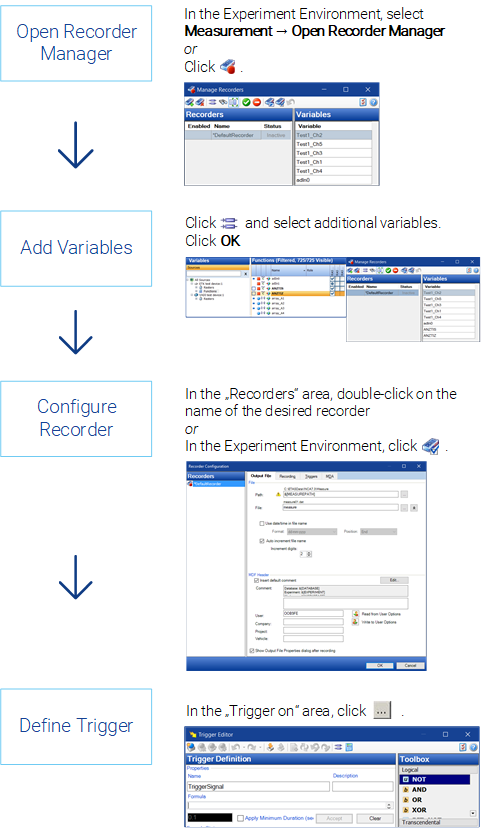
INCA provides extensive and convenient methods in a dedicated configuration window to prepare for and configure the storage of measured data. You can use them to specify the storage of the measure file by setup options such as storage location, storage name, format (ETAS binary file, ASCII, Matlab M-File, FAMOS, DIADEM and MDF) and other individual information.
To automate the start, repetition, and end of measure data recording, you can define trigger conditions (with pretrigger time and posttrigger time, if required) which trigger the desired event.
You can choose whether you just use one easy-to-use default recorder; as an alternative, you can individually configure different recorders that can be run separately from each other and that can be used for background recording. The following process describes the usage of the default recorder.
Step 8: Performing a Measurement
See also